Guides
Security foundations: accounts, backups and third parties
Security foundations for a small business: the account risks that matter, the three backup properties that hold up, and the third-party access worth reviewing.
Security for a small business is a sequencing problem, not a shopping problem. The controls that prevent most damage are cheap or free and boring to implement. The products that get sold first are the ones that only pay off after the boring work is done.
This page is about order. What to do first, what to do next, and why doing them out of order wastes money and leaves the same holes open.
What to take away
- You cannot protect what you have not listed. The inventory comes before everything else.
- Identity, updates and tested backups prevent more damage than any product you can buy.
- A backup you have never restored is a plan, not a backup.
Start with a list, because you do not have one
Every organization that goes through an incident discovers the same thing: nobody had a current list of what existed. Spend an afternoon making four: your accounts, your devices, your data, and your third parties. For each account, record the service, business owner, users and administrator roles, sign-in and recovery method, connected apps or service accounts, and business data it can reach. Begin with email, financial services, your domain registrar and DNS, cloud storage, payroll, and core business applications.
Four lists to make first
- Accounts and identitiesevery service, who has access
- Deviceslaptops, phones, servers, personal devices
- Datawhat you hold, where it lives
- Third partiesproviders, contractors, anyone with a login
The list will contain surprises. Almost every one of them is a security finding on its own: an account belonging to someone who left, an administrator nobody remembers appointing, a system holding data you thought had been deleted.
The order that works
After making the four asset lists, work through these priorities in order. The sequence puts account control first, then updates, backups, and third-party access.
- Make the account inventory usable.Record an owner and the access details for each account, including administrators, recovery methods, and connected services.
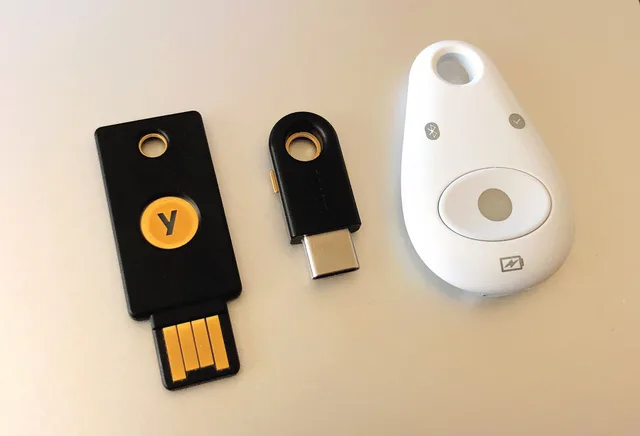
- Secure access.Turn on multi-factor authentication for email, accounts that can move money, and administrator accounts. Use individual logins where possible, separate everyday and administrator accounts, and review service accounts and integrations for access they do not need.
- Apply updates.Turn on automatic updates for devices and services, and assign someone to check that they landed.
- Verify backups.Keep at least one offline or immutable copy, check what cloud services retain and for how long, and test a restore.
- Review third parties.Record what each provider can access and what data it holds, remove access that is no longer needed, and check the contract terms for data handling, security-incident notice, and return or deletion of data and access when the relationship ends.
Security steps in order of value
- Identitymulti-factor authentication, administrators first
- Updatesautomatic updates, internet-facing first
- Backups you have restored
- Least privilege and leavers
- Device basicsencryption, screen lock, remote wipe
- Written plan with phone numbers
- Logging and a small number of alerts
- Third partiesreview and remove access
Most small organizations can complete the first five in a week of part-time effort, using tools they already pay for.
Updates. Turn on automatic updates for every device and service, write down who checks that they landed, and review monthly.
Backups are only real once you have restored one
Backup is the control people believe they have and most often do not.
Three properties of a real backup
- Separationcopy an attacker cannot reach or delete
- Coveragecheck what providers retain and for how long
- Restorationperform and time a real restore
Three properties separate a backup that works from a file copy that does not survive a serious incident.
Separation. At least one copy has to be somewhere an attacker who controls your systems cannot reach or delete. An offline or immutable copy can provide that separation. Backups sitting on the same network, reachable with the same administrator credentials, are commonly encrypted or deleted alongside everything else.
Coverage. Cloud services are frequently assumed to back themselves up. Check what your providers actually retain, for how long, and whether that covers deletion by an authorized user as well as their own failures. For important cloud data, consider an independent cloud-to-cloud backup rather than relying only on the service's own retention.
Restoration. Perform a real restore, of a real file and of a whole system, and time it. The number you get is your recovery time, and it is usually much longer than anyone assumed. Doing this once a year is what converts a hopeful assumption into a known quantity.
Write down what you restored, how long it took, and what did not come back. That note is worth more than the backup product's dashboard.
Accounts outlive people
The most common route into a small business is an account that should not have existed any more.
Accounts that outlive people
- Leaverschecklist on the last day, every service
- Shared loginsreplace with individual accounts
- Administrator separationseparate admin accounts
- Service accountsreview broad permissions
- Registrar and DNSstrongest protection in the business
- Leavers.Access removal should be a checklist that runs on the last day, covering every service on your list, not just email. Disable sign-in, revoke active sessions and tokens, remove remote access, transfer business files and service ownership, recover company devices, and rotate any shared credentials the person knew.
- Shared logins.One password used by several people cannot be revoked without disrupting everyone, and nobody can tell who did what. Replace them with individual accounts wherever the service allows it, and put the rest in a password manager the business controls.
- Administrator separation.Day-to-day work should not happen from an account that can change everything. Separate administrative accounts, used deliberately, limit what a single bad moment can do.
- Service accounts and integrations.Automated connections between systems persist quietly and often hold broad permissions. Review what they can reach.
- The registrar and the DNS.Whoever controls your domain controls your email. That account deserves the strongest protection in the business and is frequently the weakest.
Buy tools after the process exists, not before
Security products work on top of practice. On their own they generate alerts nobody reads, which is a cost with no benefit attached.
Before buying any security tool
What would this have caught in our last incident?
Who looks at what it produces, and when?
What does it cost in time, not just subscription?
Before buying anything, ask three questions. What specifically would this have caught in the last incident we know about? Who is going to look at what it produces, and when? And what does it cost us in time, not just in subscription? Record the subscription cost, setup and review time, and the specific burden the purchase is meant to remove; if that burden is not identifiable, defer the purchase.
The order of value for a small firm is usually: turn on what you already own, close the gaps in the sequence above, then buy something that reduces a burden you have actually experienced. Most organizations discover that the first two exhaust the obvious work.
Third parties are part of your attack surface
Your risk includes everyone with a login to your systems and everyone holding your data.
Record for each third party
- Data held
- Access granted
- Internal owner
- How to cut them off fast
For each provider, record the business owner, data it holds, accounts and integrations it can access, and the purpose of that access. Review standing integrations and consent grants that connect one service to another, which persist after the person who authorized them has gone. Contractors and managed providers often hold admin access that outlives the engagement. Ask for contract terms covering data handling, notice of security incidents, and return or deletion of data and revocation of access when the engagement ends.
None of this requires a formal vendor program. It requires a list and an annual look at it.
Write the plan before you need it
An incident plan for a small business fits on one page and should be printed, because the incident may take out the systems that hold it.
One-page incident plan
- Who makes decisions
- Who talks to staff and customers
- Phone numbersIT, bank, insurer, lawyer
- Account details to lock things down
- Where the backups are
Agree in advance that anyone can raise an alarm without consequence, including for something they did themselves. The first time somebody is punished for reporting is the last honest report you receive.
Where to start reading
Two free public sources are worth more than most paid material for a business at this stage.
The Cybersecurity and Infrastructure Security Agency publishes Cyber Essentials, which is written for organizations without a security team and is organized around the same idea as this page: a small number of actions, in order. The National Institute of Standards and Technology maintains a small business cybersecurity corner collecting practical guidance and worksheets.
Read one of them, pick the first three things, and do those before reading anything else.
Common questions
We are too small to be a target. Most of this is opportunistic rather than aimed. Credentials are collected in bulk and sorted afterwards, and a small firm's mailbox is worth the same to a fraudster as a large firm's if it can authorize a payment.
What is the single highest-value thing to do this week?
Do we need cyber insurance?
How often should any of this be reviewed?
In this guide
- Best security foundations software 2027: an unranked guideBest security foundations software 2027, grouped by job, not ranked. Compare functions, fit, and billing models; use trial and contract questions before buying.
- Security foundations controls: signal versus noiseSecurity foundations controls written so they can be checked: configured against effective, coverage as a fraction, exceptions with expiry dates, and ownership.
- Security control troubleshooting, one change at a timeHow to troubleshoot a security control that blocks real work: ask what changed, sort the fault, change one thing at a time, know when to stop and escalate.
- Security foundations compared: prevention, detection and recoverySecurity foundations compared by approach rather than product: prevention against recovery, in-house against managed, and what you own against something new.