Reviews
Where phishing defense actually starts: MFA on email, not training
Phishing defense that does not rely on spotting the message: stronger second factors, mail settings worth changing, blameless reporting, a payment rule.
Phishing is not really an email problem. It is a login problem, and a payments problem. Almost every message that matters is trying to do one of two things: obtain working credentials for an account you own, or get a payment redirected to an account someone else controls.
That reframing helps because it makes the defense finite. You cannot train people never to be fooled. A business that stakes everything on staff vigilance bets on a control that degrades on a busy Friday afternoon.
Instead, make a stolen password insufficient. Make a redirected payment fail a second check. Make reporting a suspicious message the fastest, least embarrassing thing a worried employee can do.
What to take away
- If you do one thing, put multi-factor authentication on the email accounts of everyone in the business, starting with anyone who can move money, change payroll, or administer your systems.
- Turning MFA on is not the same as it applying everywhere.
- The employee who clicks is also your best sensor, but only if reporting costs them nothing.
- Training will not make people reliably detect a well-made message, and any program sold on that promise is selling something that does not exist.
The single highest-value control is MFA on email
If you do one thing, put multi-factor authentication on the email accounts of everyone in the business, starting with anyone who can move money, change payroll, or administer your systems.
Email is the master key to everything else. Password resets for your accounting system, your bank portal, your domain registrar, and your file storage all land in one mailbox.
An attacker holding that mailbox does not need to break the other systems. They can ask each one politely to let them in, then collect the reply.
Anything you protect carefully is protected only as well as the mailbox that can reset it.
MFA is also the control with the best ratio of effort to effect. It is usually included in the plan you already pay for, it takes an afternoon to turn on, and it converts a stolen password from a full compromise into a failed login attempt.
Not every second factor resists phishing
Second factors are not interchangeable. Some stop password reuse but do nothing against a competent phishing page.
Second factors vs phishing
SMS or voice
- Defeats
- Reused passwords
- Still fails
- Carrier takeover
Authenticator app
- Defeats
- Reused passwords
- Still fails
- Code relayed
Push approval
- Defeats
- Casual reuse
- Still fails
- Prompt fatigue
Passkey or key
- Defeats
- Real-time relay
- Still fails
- Enrollment recovery
What it defeats
- SMS or voice code
- Reused, guessed, and leaked passwords
- Authenticator app code
- Reused passwords, and number takeover
- Push approval
- Casual reuse, and adds a visible prompt
- Push with number matching
- Blind or accidental approvals
- Passkey or hardware security key
- Real-time relay through a look-alike site
Where it still fails
- SMS or voice code
- The phone number can be taken over at the carrier; the code can be read out or relayed to the real site within its lifetime
- Authenticator app code
- The code is only a number, so it can be typed into a convincing fake page and forwarded by the operator immediately
- Push approval
- Repeated prompts wear people down, and a tired approval is a granted login
- Push with number matching
- Still granted if someone talks the user through it while pretending to be support
- Passkey or hardware security key
- Enrollment and recovery become the weak point, and a single registered key becomes a lockout risk
The last row is worth understanding rather than memorising. A passkey or security key signs a challenge that is cryptographically bound to the real site's domain, and the browser will not hand that signature to a different domain. There is nothing for a user to read out and nothing for an intermediate page to forward.
A code, by contrast, is portable by design: whoever holds it can spend it, and the site cannot tell who typed it in. The United States Cybersecurity and Infrastructure Security Agency ranks the common methods on that basis on its multi-factor authentication pages, which is worth handing to anyone who asks why codes are not good enough.
Codes and push approvals are worth having and deploying quickly, but they are a floor, not a ceiling.
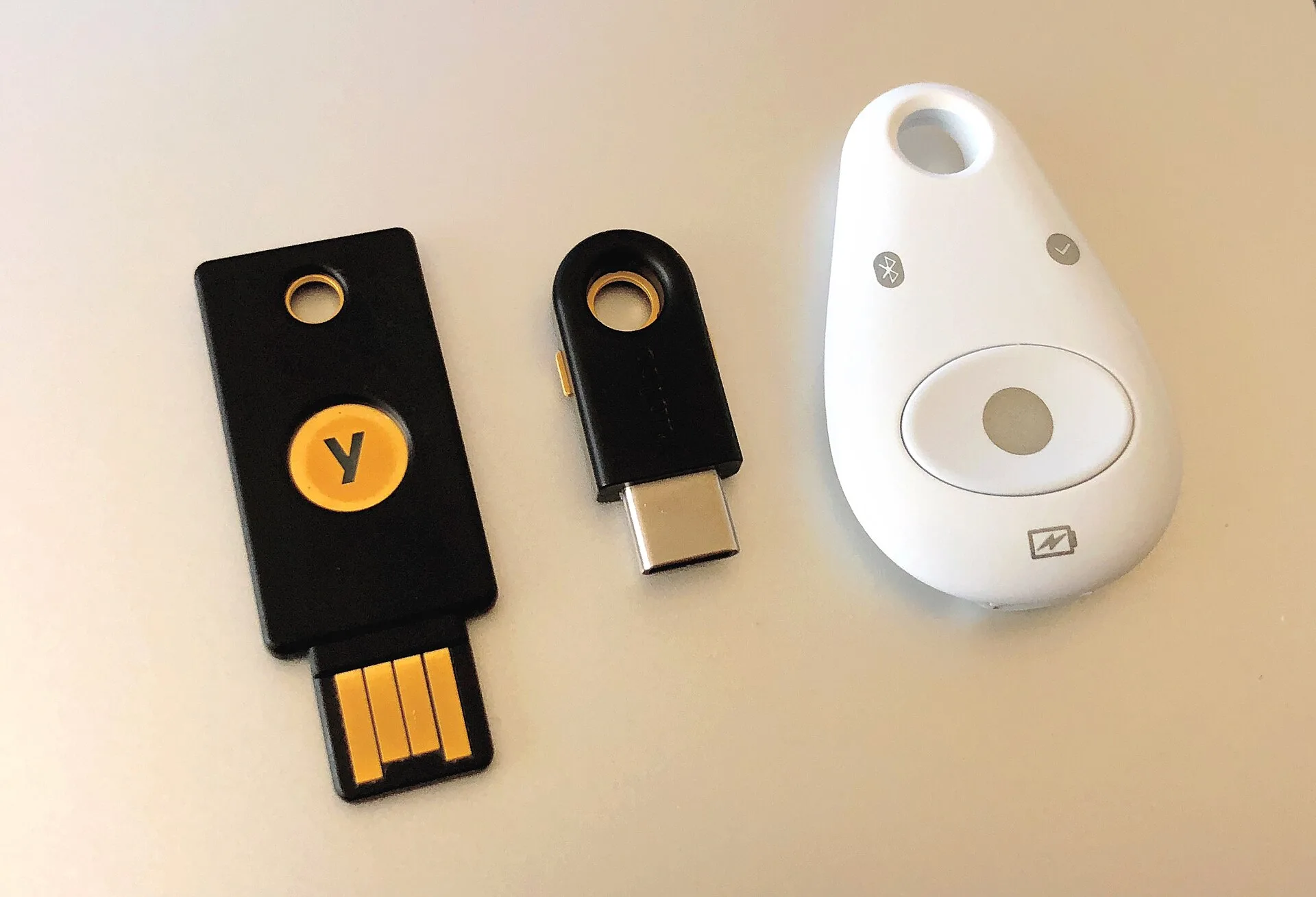
Where you can, move the accounts that matter most (administrators, finance, and the domain registrar) onto passkeys or hardware keys. Enroll two of them so a lost key is an inconvenience rather than a crisis.
Close the doors that skip the check
Turning MFA on is not the same as it applying everywhere. Two gaps recur.
The first is older authentication methods. Many mail platforms still permit legacy protocols or app-specific passwords. These predate MFA and cannot show a prompt.
If enabled, a stolen password still works through that older door. In your admin console, find whatever it calls basic or legacy authentication, confirm it is disabled, then see what breaks and fix it properly instead of re-enabling the exception.
The second is the recovery path. The route back into an account when someone loses their phone is frequently weaker than the password it replaces, and it is a standing target. Treat recovery as part of the login, not as an afterthought; the detail is covered in the guide to identity and access.
What to configure on the mail system itself
None of this stops a determined message, but each item removes a class of easy ones and makes the remainder more visible.
Mail system hardening checklist
- Publish and enforce SPF, DKIM, DMARC
- Start DMARC in monitoring mode
- Mark external mail visibly
- Alert on new mailbox rules and forwarding
- Decide what attachments may arrive
- Publish and enforce mail authentication for your own domain.SPF lists which servers may send as you, DKIM signs your outbound mail, and DMARC tells other mail systems what to do when a message claiming to be from you fails both, and sends you reports about it. Start DMARC in monitoring mode, read the reports until you are confident you know every legitimate sender, and only then move to a stricter policy. Getting this wrong in the other order will quietly stop your invoices from arriving.
- Mark external mail visibly.A banner on messages from outside the organization makes internal impersonation much harder to sustain, because the message claiming to be from the owner arrives with a label saying it came from outside.
- Alert on new mailbox rules and forwarding.Creating a rule that files or forwards specific mail is a very common step after a mailbox is taken over, because it hides the replies. Most platforms can alert an administrator when a forwarding rule is created. Turn that on; it is one of the few signals that reliably fires after the fact.
- Decide what attachments may arrive at all.Executable content and scripting attachments rarely have a legitimate business reason to appear in a small company's inbox. Blocking or quarantining them is a smaller loss than it sounds.
- Protect your own names.Display-name impersonation of the owner or the finance lead is the cheapest approach available; several mail platforms have a specific setting for protecting named internal senders.
Make reporting fast, and make it blameless
The employee who clicks is also your best sensor, but only if reporting costs them nothing.
Give people a one-click report button in the mail client, not an address to remember. Publish one route and make it the only route.
State plainly and repeatedly that nobody has ever been disciplined for reporting, including reporting something they already clicked. Honor that the first time it is tested: the first punished report is the last honest one you will receive.
Answer every report, even briefly. A reporting channel that swallows messages silently trains people to stop using it within a month.
Measure the reporting rate, not the click rate. Clicks tell you about the message; reports tell you about your ability to respond. A workplace where a third of recipients report a bad message within minutes is in a far better position than one where nobody clicked but nobody said anything either.
The first hour after a click
Assume the credentials are gone and work the list. The order matters, because the most commonly skipped step is also the one that decides whether the intruder stays.
First hour after a click
- Reset the password
- Revoke active sessions and tokens
- Check registered MFA methods
- Check mailbox rules and forwarding
- Check connected applications and consent
- Look at sent items and recently sent mail
- Decide whether this is an incident
- Reset the password.Necessary, but on its own it is not enough, so do not stop here.
- Revoke active sessions and tokens.A session cookie captured during the login survives a password change. Until sessions are invalidated on every device, the account is still open. Every major platform has a sign-out-everywhere or revoke-sessions action; find it before you need it.
- Check registered MFA methods.If an attacker enrolled their own authenticator or phone number, they hold a valid second factor and the reset you just performed changes nothing. Remove anything the user does not recognize.
- Check mailbox rules, forwarding, and delegated access.Look for rules that move mail to obscure folders, forwarding to outside addresses, and any delegation granted to another account.
- Check connected applications and consent grants.An approved third-party application can retain access independently of the password.
- Look at sent items and recently sent mail.If messages went to customers or suppliers, they need a warning, and it should come from a channel other than the compromised mailbox.
- Decide whether this is an incident.If money moved, if data left, or if you find persistence you did not create, stop improvising and follow the incident response plan.
The rule that stops the expensive version
Credential theft is the common case. The costly case is a payment sent to the wrong account, and it is stopped by process rather than software.
Write one rule and apply it without exception. Confirm by voice, on a number you held before the request arrived, any change to bank details, any first payment to a new payee, and any urgent request that bypasses the normal process.
Never a number from the message, the signature block, or the attached document.
The rule has to bind the owner too. Its purpose is to let the newest member of the finance team say "I need to call you back on the number we have on file" to the most senior person in the company. That must not count as insubordination.
If the rule has an exception for urgency or for seniority, it has an exception for exactly the circumstances an attacker will construct. There is more on this pattern in the guide to business email compromise.
What training can and cannot do
Training will not make people reliably detect a well-made message. Any program sold on that promise sells something that does not exist.
It can install specific habits: report rather than delete, verify payment changes out of band, use the password manager, and treat unexpected MFA prompts as an alarm, not an annoyance. Those are behaviors you can teach and observe, and security compliance training covers this approach.
Common questions
We are too small to be worth targeting. Most of this is opportunistic rather than aimed. Credentials get collected in bulk and sorted afterwards, and a small firm's mailbox is worth the same to a fraudster as a large one's if it can authorize a payment. Size affects how much attention you get after the first foothold, not whether you receive the first message.
Does a password manager actually help against phishing?
What about text messages and phone calls?
Should we buy a dedicated email security product?
The United States Federal Trade Commission publishes general data security guidance for businesses that is a reasonable free starting point. What applies to you specifically depends on your industry, your contracts, and where you operate, that is a question for your own advisers rather than an article.
In this guide
- Phishing defense software: three jobs, one buying orderPhishing defense software does three jobs: filtering, post-delivery response and awareness. Here is the buying order, the tests, and what to do first.
- Phishing defense comparison: Five layersA phishing defense comparison of five layers—gateway, mailbox, browser, identity, and payment process—showing what each can see and where it falls short.