Features
Part of Where phishing defense actually starts: MFA on email, not training
Phishing defense comparison: Five layers
A phishing defense comparison of five layers—gateway, mailbox, browser, identity, and payment process—showing what each can see and where it falls short.
A message that ends in a stolen account has to pass several different places, and each of those places sees something the others cannot. A phishing defense comparison means comparing those vantage points, because a control's value is set almost entirely by what it can observe.
Five layers are worth distinguishing: the gateway before delivery, the mailbox after delivery, the browser at the moment of the click, the identity layer at the moment of the login, and the process at the moment money moves. This page compares them on what each can see, when it acts, who operates it, and what it cannot do.
What to take away
- Each layer sees a different thing. A gap at one layer cannot be closed by spending more at another.
- The identity layer is where the outcome is decided, because a login that fails costs nothing regardless of how convincing the message was.
- Everything after delivery is where small businesses have the most unused capability.
The five vantage points
Acts
- Gateway, before delivery
- Once, in milliseconds
- Mailbox, after delivery
- Any time afterwards
- Browser and device
- At the click
- Identity layer
- At the login
- Process
- When money or data moves
Sees
- Gateway, before delivery
- The message, its origin, its attachments, reputation signals
- Mailbox, after delivery
- Every copy delivered, and changes to the mailbox itself
- Browser and device
- The destination as it actually resolves, warnings, saved credential matching
- Identity layer
- Which account, from where, with which factor, on which device
- Process
- The request, the payee, the amount, the approver
Cannot see
- Gateway, before delivery
- What the recipient does next; anything that becomes hostile later
- Mailbox, after delivery
- Anything already acted on
- Browser and device
- The context that made the message believable
- Identity layer
- The message that led here
- Process
- Anything technical
Usually operated by
- Gateway, before delivery
- The mail platform, on defaults
- Mailbox, after delivery
- Whoever holds administrative access
- Browser and device
- The user, plus device policy
- Identity layer
- Whoever administers accounts
- Process
- Finance, by written rule
Before delivery against after delivery
The gateway is where attention and budget concentrate, and it is the layer with the hardest job: one decision, made instantly, on incomplete information, with an expensive penalty for being wrong in either direction.
The mailbox layer has the opposite properties. It can act at leisure, it can act on every copy at once, and it can act on information that only became available later, including a report from one alert person. It is also, in most small businesses, almost entirely unused capability that is already paid for.
After-delivery configuration priorities
- Enable alerting on new mailbox rules
- Alert on forwarding addresses and delegates
- Learn search-and-remove function
- Time search-and-remove once
- Put a report button in the mail client
None of that is a purchase, and it changes what happens on the day something gets through; what to require if you do buy is in best phishing defense software 2027.
The browser is a defense people forget they have
Two things happen at the click that no earlier layer can do.
The browser resolves the destination for real and applies its own warning lists. Keeping browsers updated is a phishing control, though it is rarely filed that way.
Device and browser currency is ordinary work in endpoint security. The National Cyber Security Centre's device security guidance covers the platform settings, free of charge.
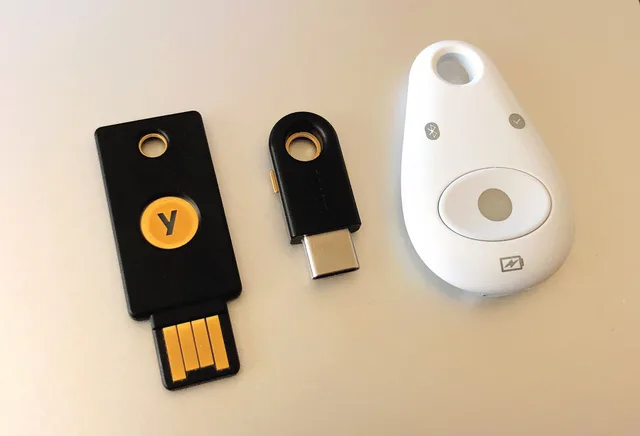
A password manager decides whether to offer a saved credential by comparing the site's domain with the one it saved. On a look-alike site, it offers nothing. That quiet signal is reliable and available to any business.
The habit worth teaching is short: if the manager does not offer to fill on a site you use every day, stop and check the address bar.
That single habit outperforms most training content, and it costs a sentence.
The identity layer decides the outcome
This is the layer where the comparison stops being close.
Every other layer is trying to prevent a person from doing something. The identity layer is deciding whether what they did is sufficient, and it can be made insufficient by design. A stolen password against an account that requires a phishing-resistant factor is a failed login, and the message that produced it becomes a curiosity rather than an incident.
Compare three properties: coverage, whether the requirement applies to every account and every sign-in path, including older protocols.
Strength, whether the factor can be relayed by someone standing in the middle, the difference explained in phishing defense.
Recoverability, whether the route back in for a locked-out user is weaker than the login it replaces, which it very often is.
Spending here beats spending at the gateway for most small organizations, and it is usually included in what they already pay for. The United States Cybersecurity and Infrastructure Security Agency reaches the same conclusion in its phishing guidance for organizations, which puts resistant authentication ahead of message inspection.
The process layer is the only one that survives everything
None of the four technical layers helps when the message is authentic, the sender is real, and the request is simply a lie. That case is only stopped by a rule about how payment details change, and it is compared against the alternatives in business email compromise comparison.
Worth stating plainly because it inverts the usual budget: the cheapest layer is the one that covers the most expensive case.
Block, warn, or quarantine
Within any layer, the response choice is its own comparison, and it is decided by who is available to deal with the consequence.
Blocking is cleanest when confidence is high and worst when it is wrong, because the recipient learns nothing and the sender assumes the message arrived.
Warning keeps the message moving and depends entirely on the warning still carrying weight. Warnings decay. A banner on everything from outside is worth less than a banner on first contact from outside, and the difference is whether people still read it after a month.
Quarantine is the middle option and the one that needs an operator. It is only better than blocking if somebody reviews the queue, and only better than warning if the release path is fast. With no operator, quarantine is blocking with extra delay.
Small teams generally do best with warning as the default and quarantine reserved for a narrow set, precisely because the operator is the constraint. That trade-off is the same one described in security foundations comparison.
Common questions
If we can only improve one layer, which one?
Identity, then after-delivery. Both are usually included in what you own, both act on the cases that reach you, and neither depends on a person making a judgment while busy.
Does a second gateway help?
Rarely enough to justify the administration and the doubled false positives. Two filters means two places to look when mail goes missing, and the marginal catch is small compared with configuring the first one properly.
How do we compare layers when the tools overlap?
Compare by what each is observing, not by the label on the product. A single platform may cover three layers, and it will be strong at one of them. Score the layers, then see which product covers which.
Where does staff training sit in this comparison?
Not as a layer, but as what makes two of them work: the report that triggers after-delivery removal, and the pause before a payment. Train those two behaviors and stop there, for the reasons set out in security compliance training.