Costs
Small Business Cybersecurity: What to Do in the First 24 Hours After an Attack
First day steps for a suspected breach: what to disconnect, what to preserve, who to call, and where the deeper incident response and email compromise guides fit.
What to take away
- Cut the network connection, not the power, so logs and memory survive.
- Reset email, banking and cloud passwords from a clean device, then enable multi-factor authentication.
- Save the phishing email, the forged invoice and any new mailbox forwarding rules before deleting anything.
- Call your bank and your cyber insurer within the first day, because payment recall windows close quickly.
- Keep a printed contact list, since your email may be the account that is locked.
Minutes 0 to 30: Contain the Damage
A suspected breach is a bad moment for big decisions. Make three small ones instead. Take the machine off the network. Write down the time and what you saw. Call one person who can approve spending.
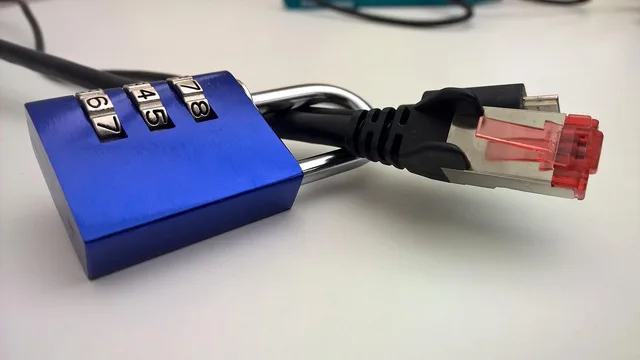
Leave the device powered on if you can. A shutdown clears memory, where some malware lives only until reboot. If files are visibly being encrypted, pull the network cable at once and stop using that machine.
First 30 Minutes Checklist
- Disconnect Wi-Fi or ethernet cable
- Photograph the screen before closing windows
- Change email, banking, cloud passwords
- Enable MFA starting with email
- Call IT contact or breach hotline
Guidance on multi-factor authentication from CISA explains hardware keys, apps and SMS codes, including the lockout risks of each.
If you cannot reach your IT provider within 15 minutes, call the breach hotline named in your cyber policy. Do not wait until morning.
The First Four Hours: Preserve Evidence
Deleting the phishing email feels tidy. It also destroys the sender headers, the link and the attachment that a responder needs. Move suspicious mail to a folder instead, and note the subject line.
First 24 Hours Timeline
- 0-15 minDisconnect network, note time
- 15-60 minReset passwords, enable MFA
- 1-4 hoursExport mailbox rules and records
- 4-12 hoursCall bank, insurer, legal counsel
- 12-24 hoursNotify staff, file police reports
In Microsoft 365, an administrator can review mailbox forwarding rules and the audit log in the Exchange admin center. In Google Workspace, similar reports sit in the Admin console. Screenshot what you find before anyone changes settings.
| Window | Action | Who usually does it |
|---|---|---|
| 0 to 15 minutes | Disconnect from the network and note the time | Owner or manager |
| 15 to 60 minutes | Reset email and banking passwords, enable MFA | Owner or IT provider |
| 1 to 4 hours | Export mailbox rules, headers and payment records | IT provider or responder |
| 4 to 12 hours | Call the bank, insurer and legal counsel | Owner |
| 12 to 24 hours | Notify staff and file police reports | Owner |
Tools such as Microsoft Defender or Malwarebytes can start a scan, but let your responder decide the order. A scan that quarantines files can erase the evidence you just preserved.
Example: The Invoice That Never Existed
A supplier's email arrives on a thread you recognize, with a new bank account for the next payment. The signature looks right. The tone feels familiar. Nobody in your team thinks twice.
That pattern is business email compromise. It works because it targets careful people with real context. For how it looks from your employee's screen, plus the one rule that stops the payment leaving, read business email compromise.
Call the supplier at a number you already have on file, not the number in the email. Do it for every change of bank details, with no exceptions.
Notifications: Who to Call in the First 24 Hours
Call the bank first. Wire recalls and ACH reversals have short windows, often measured in hours. Ask for the fraud team, not the branch, and get a case number.
Who to Call First
- Call the bank fraud team first
- Call your insurer second
- Call legal counsel if customer data involved
- Report to local police and IC3
Call your insurer second, because policies set notice deadlines that can void coverage if missed. Then call legal counsel if customer data is involved.
Report to local police and the FBI's Internet Crime Complaint Center, which keeps a record you may need later. The FTC publishes small business cybersecurity guidance that covers safeguards and breach response basics.
What the First Day Cannot Fix
Twenty-four hours gets you containment, not recovery. Rebuilding mailboxes, restoring backups and answering regulators takes weeks. That work needs a plan and a named responder.
Choosing between a printed page and a retainer is a decision to make before an attack. Incident response alternatives sets out what each arrangement buys, what it leaves open and how to test it in advance.
Once the immediate work is done, use the small business cybersecurity corner from NIST to set baselines for backups, access and supplier reviews.
Common questions
Do we have to notify anyone if no customer data was stolen?
Usually yes, at least to your bank and insurer. Notification laws bind you when personal information is involved, and contracts with payment processors often require a report anyway.
Should we pay the ransom?
That is a decision for your insurer, counsel and law enforcement, not for the technician on the phone. Payment does not guarantee restored files and may carry legal limits.
How long does recovery take?
It depends on whether backups are clean, recent and tested. Ask your responder for a written estimate before approving any work.
The alert came from a vendor we use. What now?
Treat it as your incident until proven otherwise, and ask the vendor for their own written report.