
Guides
How Northern Canada small businesses can plan backup on low bandwidth
Northern Canada backup low bandwidth planning means offline copies, satellite-friendly cloud options and restore tests built around high latency and winter outages.
This article applies the small business cybersecurity basics covered on this site to a Northern Canada setting. The core lessons are general: keep an offline copy, encrypt backups, limit who can delete them, and test restores before an emergency. The region-specific details show how those basics hold up when bandwidth, latency and winter outages make the network the bottleneck.
Small businesses in the United States can use the same checklist and rotation discipline. Treat the Northern Canada examples as a stress test for the fundamentals: protection starts with a copy you control, not a link you hope will work.
This site focuses on small business cybersecurity basics: protecting data, controlling access, and recovering from incidents. This Northern Canada guide is one application of those basics under difficult network conditions. The core lessons stay the same whether a business uses fibre or satellite.
Keep an offline copy, encrypt backups, limit who can delete them, and test restores before an emergency. For small businesses in the United States, the same checklist and rotation discipline apply. The Northern examples show why those controls matter when bandwidth, latency, and winter outages are normal.
What to take away
- Northern Canada backup low bandwidth planning starts with accepting that the link is the slowest part of any restore, so design around it rather than hoping it improves.
- Satellite links bring high latency, which breaks chatty backup clients, so pick tools that resume interrupted transfers and cap concurrent connections.
- Winter outages, from storms and fuel resupply gaps, are normal operating conditions in Yukon, the Northwest Territories and Nunavut, not exceptions.
- Test restores on the slow link you actually have, and record how long each recovery step takes.
Why low bandwidth and high latency change backup design
A backup plan written for a fibre-connected office in southern Canada assumes the network is fast and always on. In most Northern communities that assumption fails. Bandwidth is metered, shared and often delivered by satellite or a fixed wireless link with a long round trip.
Fibre Office vs Northern Link
Fibre office
- Bandwidth
- fast, unmetered
- Latency
- low
- Replication
- continuous, chatty
- Transfer size
- many small
- Retry window
- plenty
Northern community
- Bandwidth
- metered, shared
- Latency
- long round trip
- Replication
- scheduled, one stream
- Transfer size
- fewer, larger
- Retry window
- none before staff
High latency means every handshake costs time, so a client that opens hundreds of small connections will crawl even when raw speed looks adequate.
That changes what you back up and when. Continuous, chatty replication of every file change is a poor fit. Scheduled jobs that send one compressed, deduplicated stream overnight usually finish. The practical rule is fewer, larger transfers rather than many small ones.
It also changes how you measure success. On a slow link, a backup that reports success may still have taken most of the night and left no room for a retry. If the job fails at 4 a.m., there is no second window before staff arrive. Build in slack, and treat the schedule as a budget you spend carefully.
Housing and infrastructure conditions in the North shape much of this. Where communities are small and services are concentrated, a single building may host the office, the server and the internet connection, which concentrates risk.
The Northern Housing Report | CMHC covers the infrastructure and housing context that drives connectivity and outage patterns across the region.
A useful starting point is to sort what you protect by how fast you need it back. A point-of-sale database and a decade of scanned invoices do not deserve the same treatment.
This is the logic behind a ladder of canadian small business cyber insurance, from a rotated drive to a managed service, and it matters more in the North because every option has a bandwidth cost.
Winter outages and satellite links in Yukon, Northwest Territories and Nunavut
Winter in Yukon, the Northwest Territories and Nunavut brings two kinds of outage. The first is physical: storms, extreme cold and icing take down antennas, power and sometimes roads. The second is logistical: parts, fuel and technicians arrive on a schedule that weather can delay by days. A failed drive in a remote community is not a same-day problem.
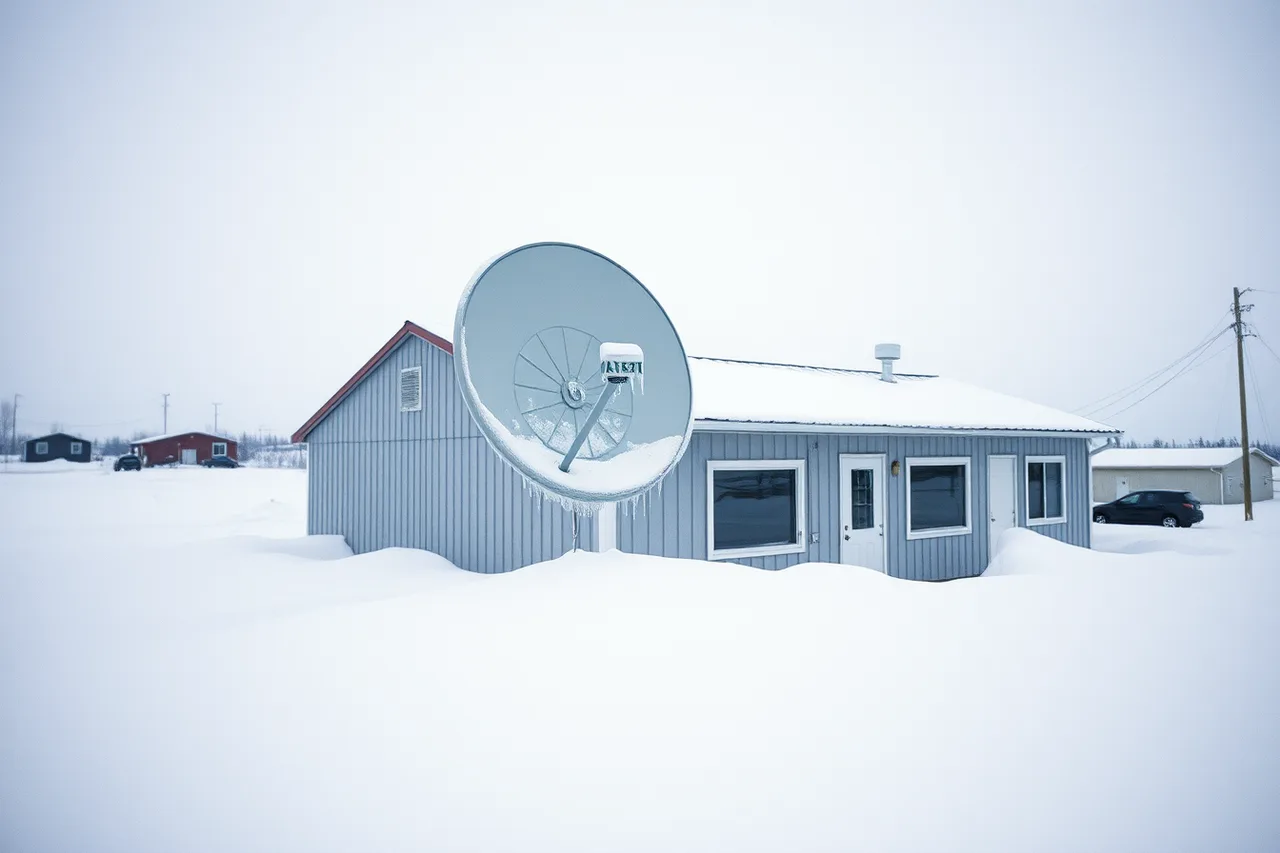
Satellite links add their own behaviour. Latency is high and fairly stable, which some protocols handle well and others do not. Throughput can drop in heavy snow or when the dish is misaligned. Many plans cap monthly usage at 50 GB to 300 GB, though some newer plans allow 1 TB before slowdown.
A large off-site backup can consume the allowance that the business needs for payments and email.
Plan for the link to be gone, not merely slow. That means the recovery path cannot depend on downloading a full image from a cloud provider during an outage. Keep a local copy that is current enough to run the business.
Cold itself is a design constraint. Consumer drives and some network equipment have operating ranges that Northern winters exceed. Equipment in an unheated back room or a storage shed may fail on the coldest days, which is exactly when you need it. Heated, dry storage with stable temperature is worth the space.
Business context matters too. Many Northern firms are small, family-run or community-owned, and planning capacity is thin. Guidance written for First Nations, Metis and Northern community businesses, such as this Saskatchewan resource for First Nations, Metis and Northern community businesses, reflects the governance and funding realities. Those realities shape how these firms buy and maintain technology.
The same applies to firms at other stages of their life. A business that is starting, changing hands or winding down has different backup duties, and the entrepreneur start or exit guidance is a reminder that continuity planning belongs in those transitions rather than after them.
Offline copies: drives, rotation and physical storage that survives the cold
An offline copy is a backup that is not reachable from the network when it is at rest. That single property defeats ransomware, accidental deletion and a compromised admin account. In the North it also defeats the link, because a drive in a cupboard restores at local speed regardless of what the satellite is doing.

The basic pattern is three copies: the working data, a local backup that stays connected for fast restores, and an offline copy that is rotated off site.
For a small Northern business, the third copy is often a portable drive carried between the office and a second building, or held by a trusted person who is not the network administrator.
Rotation discipline is what makes it work. A drive that is plugged in all the time is not offline. Set a rotation schedule, label the drives, and record when each one was last written. A simple weekly swap suits many firms, with a monthly drive kept further away.
Cold storage needs care. Let a drive that has been in a vehicle at minus thirty warm to room temperature before powering it on, because condensation inside the enclosure can destroy it. Keep drives in a padded case, avoid leaving them in vehicles, and replace them on a fixed cycle rather than waiting for failure.
Encryption is not optional. A drive that leaves the building can be lost or stolen, and it may hold customer records. Full-disk encryption with a passphrase stored separately from the drive is the minimum.
The cloud security controls that matter are separate accounts, multi-factor authentication and immutability where the provider offers it. For a portable drive, encryption and integrity checking are near the top.
If your data includes personal information about customers or staff, moving a copy off site is a privacy decision as well as a technical one. The Office of the Privacy Commissioner of Canada sets out the duties in its guidance on privacy for businesses, including accountability for personal information held by a service provider.
Cloud backup options that work on satellite links
Cloud backup can work in the North, but only if you choose tools and settings that tolerate latency and interruption. The features that matter are resumable transfers, client-side deduplication and compression, bandwidth throttling, and the ability to seed the first full copy by shipping a drive.
Seeding a Cloud Backup on Satellite
- Ship first full copy on a physical drive
- Provider loads seed into cloud
- Nightly incremental sends only new blocks
- Compression shrinks what remains
- Throttle job and set monthly data ceiling
Seeding matters most. The first full backup is always the largest, and sending it over a capped satellite link can take weeks or exhaust the monthly allowance. Many providers accept an initial copy on a physical drive, which turns a month of transfer into a courier shipment. Ask before you sign.
Name the options before you buy. Object storage with a shipped seed appliance includes Amazon S3 with AWS Snowball, Azure Blob with Data Box, Google Cloud Storage with Transfer Appliance, and Wasabi with Wasabi Ball. Backup services that commonly offer local seeding and throttled, resumable transfers include Veeam, Acronis, MSP360, Datto and Barracuda.
Ask each provider to confirm seeding, resume and bandwidth limits in writing.
After the seed, keep the ongoing changes small. Deduplication means only new blocks travel. Compression reduces what is left. A typical nightly change for a small Northern office is 2 GB to 10 GB after deduplication and compression. That incremental is realistic on a decent satellite link; a nightly full backup is not.
Schedule around the link, not against it. Run backups overnight when the office is closed and the connection is otherwise idle. Throttle the job so it cannot starve payments, email or voice traffic during business hours. If the provider supports it, set a monthly data ceiling so a runaway job cannot consume the plan.
For a broader view of how these pieces fit together, see the grounded overview of backup and recovery, which covers local, remote and hybrid approaches without assuming a fast connection.
Security of the cloud copy deserves its own attention. Credentials that can delete backups are the ones attackers want, so use separate accounts, multi-factor authentication and immutability where the provider offers it. For related access controls, see dmarc setup for small business.
Testing restore times when the link is the bottleneck
A backup you have never restored is a hope, not a plan. In the North, the test that matters is not whether the data exists, but how long it takes to get the business running again on the connection you actually have.
Work through the steps in order, and time each one.
Timing Offline vs Cloud Restore
- Pick a real failure scenario
- Restore critical item from offline copy, time it
- Restore same item from cloud, time it
- Repeat with link throttled or degraded
- Write times and owners into the plan
A worked example makes the gap concrete. Suppose a two-person office in a Northern community loses its server on a Monday. The offline drive holds a copy from Friday evening. Restoring it locally takes a couple of hours, and the firm is working by lunchtime with two days of re-entry.
Suppose the server holds 2 TB. At a sustained 5 Mbps, a cloud restore takes about 38 days; at 10 Mbps, about 19 days. Either job exceeds a typical 300 GB monthly cap.
Keep a written runbook with the timings, the drive locations and the provider contacts. Store a copy off site, because the runbook is useless if it lives only on the server that failed.
If a job reports success without usable data, see msp vs in-house it security.
A backup plan template for a Northern small business
Use this as a starting document. Fill it in, keep it short, and review it when staff, equipment or providers change.
Northern Backup Plan Checklist
- Rank data by recovery priority
- Keep three copies, one rotated off site
- Overnight throttled incrementals with data ceiling
- Provider supports seed by shipped drive
- Encrypt drives and cloud, keys stored separately
- Name who rotates, checks and tests
- Record restore times and business impact
- Review each season and after outages
Fill in this table and keep a copy off site.
Backup plan template
- Business name and site address
- Backup owner and phone
- Alternate contact and phone
- Systems to protect, with data size
- Typical nightly change volume
- Recovery point objective (RPO)
- Recovery time objective (RTO)
- Local backup device and location
- Offline drive labels and rotation day
- Off-site holder and address
- Cloud provider and account
- Seeding method and date
- Bandwidth throttle and monthly cap
- Encryption passphrase location
- Last restore test date and result
- Next restore test date
- Provider support contacts
- Review date and reviewer
Rotation schedule:
Drive rotation
| Drive | Last written | Location | Next swap |
|---|---|---|---|
| Drive A | Office | ||
| Drive B | Second building | ||
| Drive C | Off-site holder | ||
| Monthly drive | Further away |
Test dates:
Restore tests
| Test | Date | Time to restore | Result |
|---|---|---|---|
| Local restore | |||
| Offline drive restore | |||
| Cloud restore sample |
For digital operations that backups protect, see Manitoba's conducting business online.
Two governance points close the loop. First, if you hold personal information, your backup copies fall under Canadian privacy law, and off-site storage does not remove your responsibility for them. Second, a backup is only as good as its last successful restore, so put the test date in the plan and treat a missed test as an open risk.